
Smart Access Controller
Connect identification, access policies, gate actions, RGB lighting, on-screen feedback, voice prompts and platform communications in one manageable passage workflow.
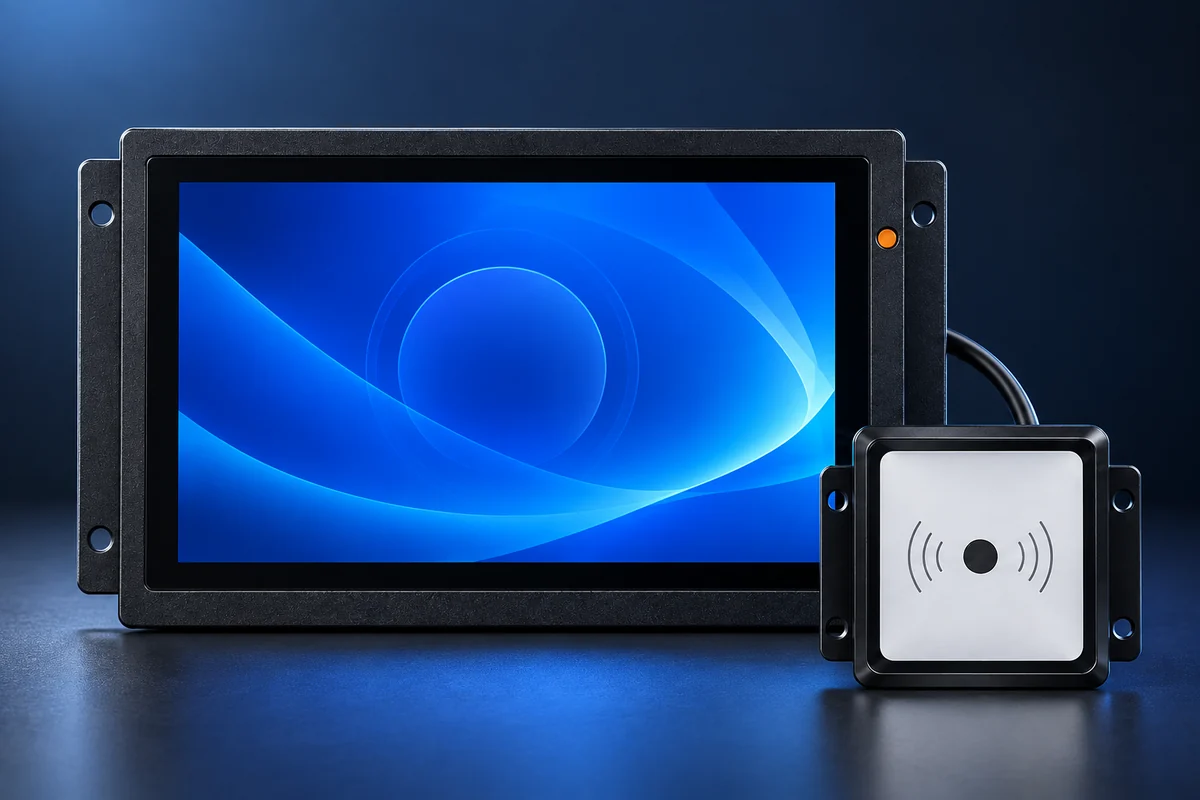
Product image for reference. Final configuration follows the confirmed project specification.
Six capabilities connecting the passage and business platform
Designed for attractions, enterprises, campuses, factories, schools, offices and visitor projects, bringing identification, control and feedback into one terminal.
Validation input
Accept QR, face or upstream platform results as a clear input to the access decision.
Gate and direction control
Drive gate actions and passage direction from the validation result, with independent hold-open control.
RGB lighting linkage
Change lighting with validation results, operating modes and passage status for immediate visibility.
Multimedia feedback
Present standby, passage and exception states with images, GIFs, text and video.
Web management
Use a browser to configure modes, networks and systems, view status and maintain the device.
Open integration
Support project integration over HTTP and MQTT with ticketing, access and visitor platforms.
One decision, synchronized feedback across endpoints
A unified passage state drives physical actions and information feedback, keeping gates, lights, screens and voice aligned.
RGB lighting linked to real passage states
Lighting reflects validation results, operating modes and passage states, synchronized with screen and voice feedback so operators and users can understand the current state at a glance.
Clear indication that passage is allowed
Indicates that validation did not pass
Shows the active sensor-based state
Indicates the current restricted state
Shows that the lane remains open
Updates with the current operating state
Three base modes, plus independent hold-open control
Verified passage
Read a credential and use platform or local rules to allow or deny passage.
Sensor passage
Run the configured sensor workflow and present the corresponding status.
Static state
Maintain a static response where passage must be paused or restricted.
Independent hold open
Keep the lane open when authorized and restore the previous base mode when released.
Main / secondary controller deployment
Supports main and secondary controller roles for bidirectional or entry/exit lanes. Both retain their own modes, direction, display, voice, network and management functions; role responsibilities and advanced gate-control scope are confirmed per project.
Customize video, images, GIF, voice and text
Configure multimedia content for project branding and passage scenarios, keeping success, failure, operating modes and network state consistent across the display, RGB lighting and voice.
Images and video
Use custom standby images or video and restore them after event feedback.
GIF and text
Use custom GIF assets and prompt text for validation, mode and network status.
Voice feedback
Use custom result and status voice prompts with master enable and volume controls.
Five language profiles
Simplified Chinese, Traditional Chinese, English, Simplified Chinese + English, and Traditional Chinese + English.
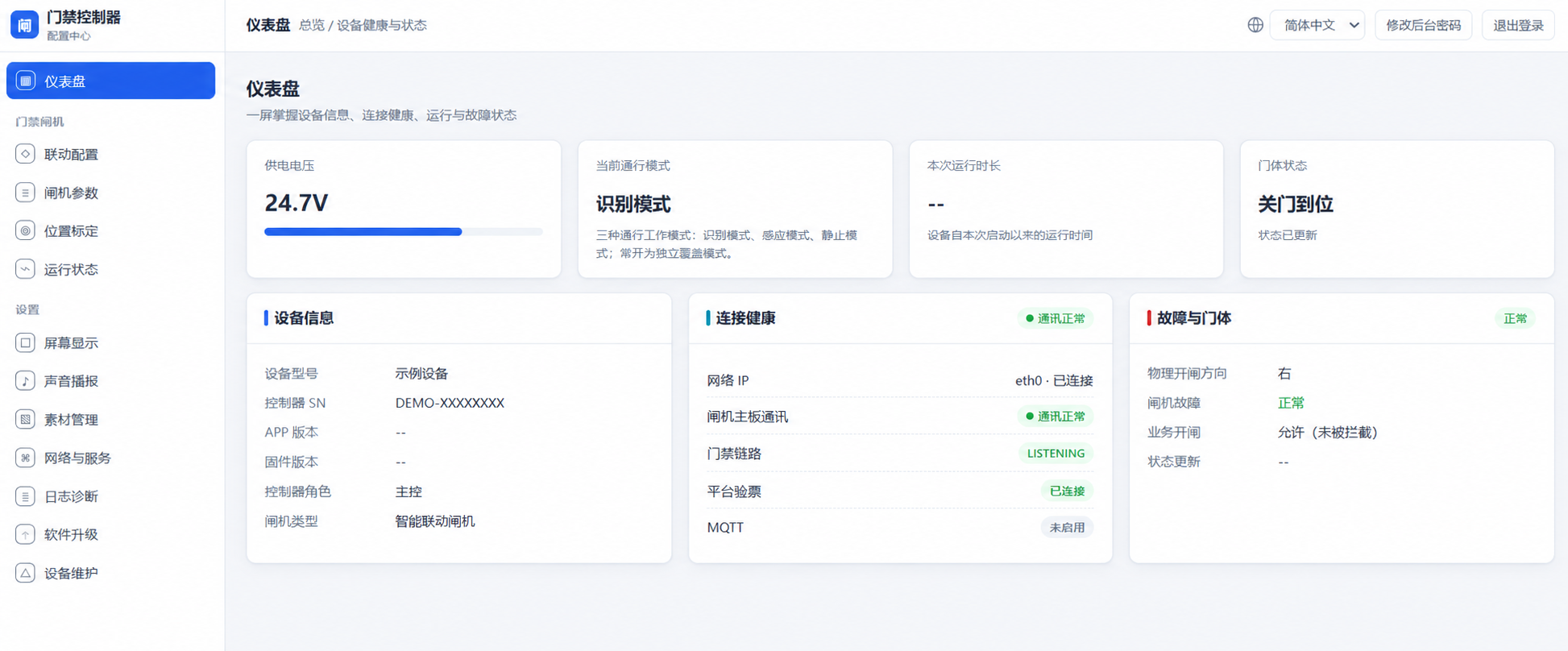
Manage the device from a browser
- Operating mode and passage direction
- Device status and operating information
- Network, platform and system settings
- Display, voice and language settings
- Logs, maintenance and upgrades
- Permission-controlled maintenance functions
Connect to customer business systems
Project integration can use HTTP/HTTPS network environments and MQTT for ticket or access validation, device management and status messaging. Interfaces, authentication, networking and certificates follow the mutually confirmed integration scope.
For request-response validation, device queries and configuration workflows.
For device status, events and remote-management messaging.
Supports QR recognition and business validation, with quick QR-based gate parameter setup.
If the network or business platform is unavailable, the controller can provide local interface, lighting, text/GIF and voice feedback according to its current state. Offline passage and fallback rules must be agreed for each project.
Upgrade an existing gate with intelligent control
Assess existing gates, recognition devices and business systems, then link QR, face, ticketing or access results with gate control, RGB status lighting, multimedia feedback and platform management.
Share device models and interface requirements for an integration recommendationApplication scenarios
Product capability summary
- Positioning
- Smart access controller / smart passage control terminal
- Base modes
- Verified passage, sensor passage and static state
- Independent control
- Hold-open control, subject to role and project configuration
- Passage execution
- Dual-relay control, passage direction and gate linkage
- On-site feedback
- RGB lighting, images, GIF, text, video and voice
- Management
- Local browser-based Web management
- Languages
- Simplified Chinese, Traditional Chinese, English and two bilingual profiles
- Integration
- QR, HTTP / HTTPS network environments and MQTT; scope confirmed per project
Frequently asked questions
Can it connect directly to an existing gate?
The gate model, control interface, direction, power and current business system must be reviewed first. We provide an integration recommendation after interface confirmation and do not promise unverified model compatibility.
Can RGB lighting follow validation results?
Yes. RGB lighting can reflect passed, failed, sensor, static and hold-open states while remaining aligned with screen and voice feedback.
Which passage modes are supported?
Three base modes are available: verified passage, sensor passage and static state. Hold open is an independent control capability, and releasing it restores the previous base mode.
How does it connect to ticketing, access or visitor platforms?
Projects may use HTTP/HTTPS network environments or MQTT for validation, device management and status messaging. The exact interfaces and authentication method are confirmed in the integration scope.
What happens if the network is unavailable?
The device can still present local interface, lighting, text/GIF and voice status feedback. Whether offline passage is permitted depends on the approved project security policy.
Give every lane consistent, manageable feedback
Share your gate, recognition device, business platform and interface requirements. Our engineering team will map the control workflow and integration boundary.
Request a solution and quotation